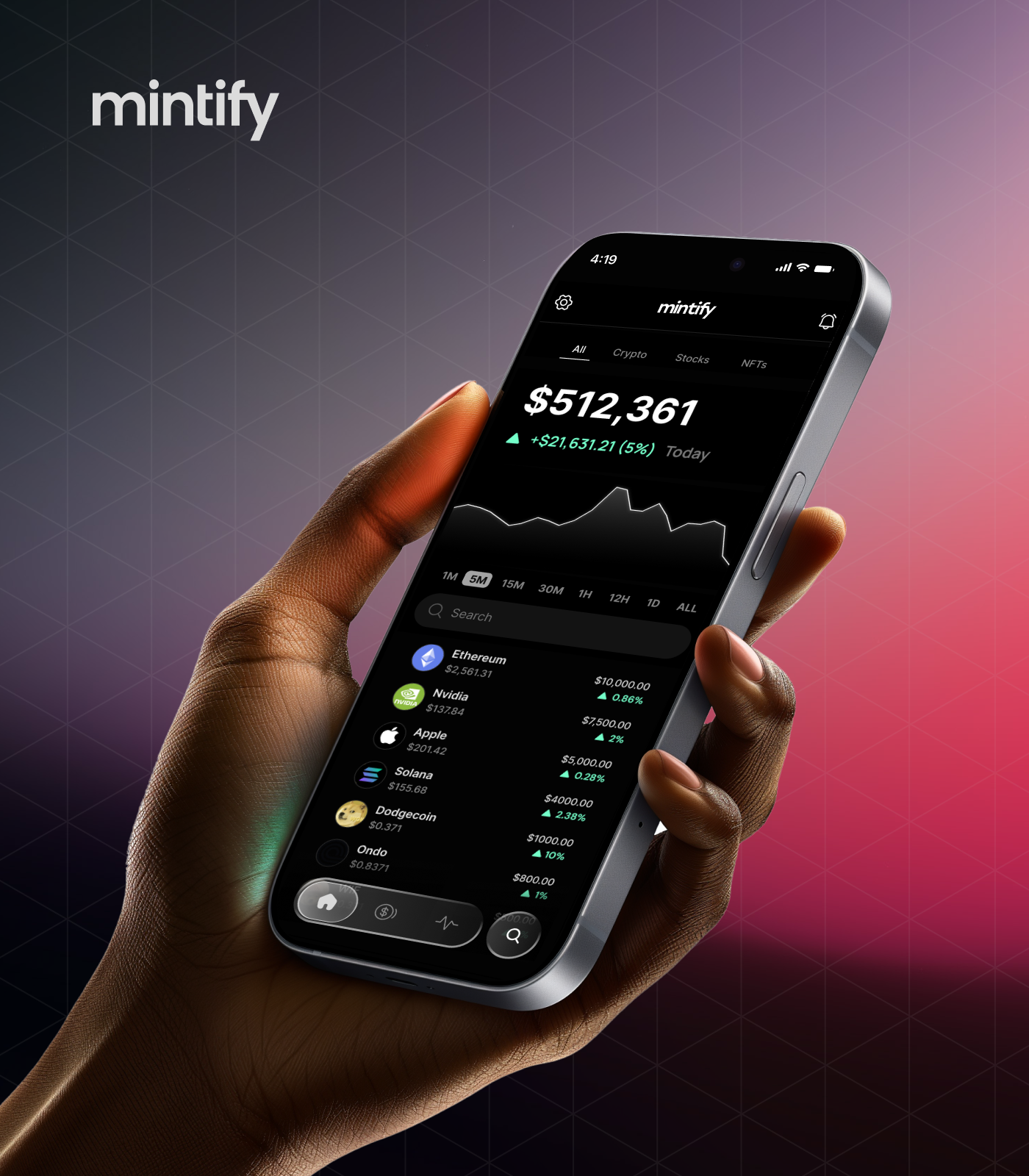
Mintify Mobile App
A native iOS and Android trading app bringing professional-grade crypto, NFT, and stock trading to mobile, designed for clarity, speed, and daily use.
Client
Mintify
Role
Sr. Product Designer
Scope
iOS & Android Design, End-to-End UX, Prototyping, Design System, User Research
Year
2025
Duration
3 months
Mintify's web platform had built a loyal following among power users, but mobile was a gap in the product strategy. I led the design of an end-to-end design of the native iOS and Android apps, from onboarding and authentication through to real-time trading, multi-chain swaps, and portfolio management. The challenge was translating a complex, data-dense web experience into a touch-first interface that felt effortless for both crypto natives and newcomers.
69+
Chains supported
400k+
Active users
3 months
0 to design handoff
01. The Challenge
The challenge was translating Mintify's complex, data-dense web experience into a touch-first interface that felt effortless for both crypto natives and newcomers. We needed to serve casual retail investors, active NFT collectors, and professional multi-chain traders in a single app, each with different mental models and risk tolerances, without context-switching or feature gating.
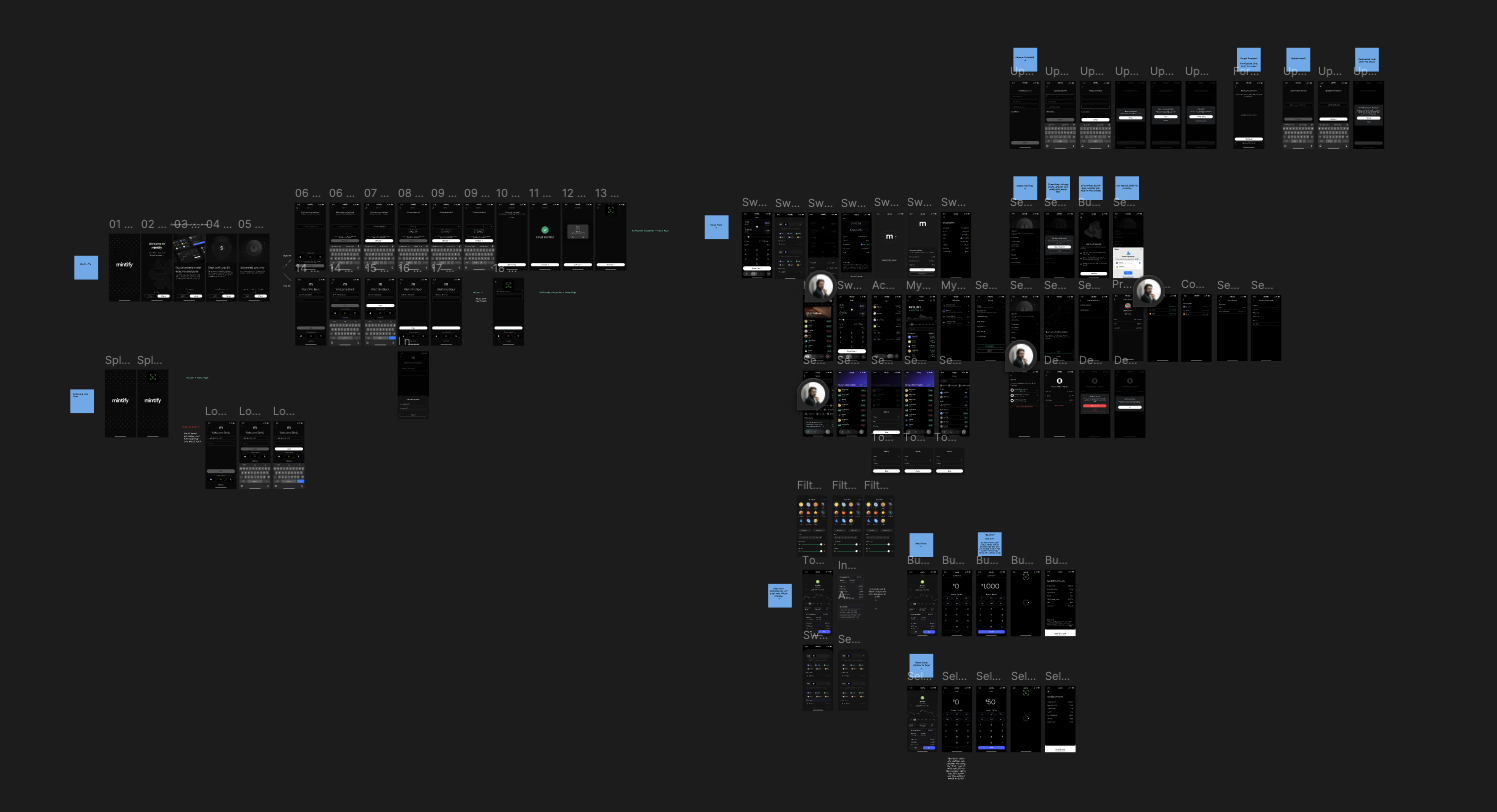
02. Onboarding: First Impressions at Scale
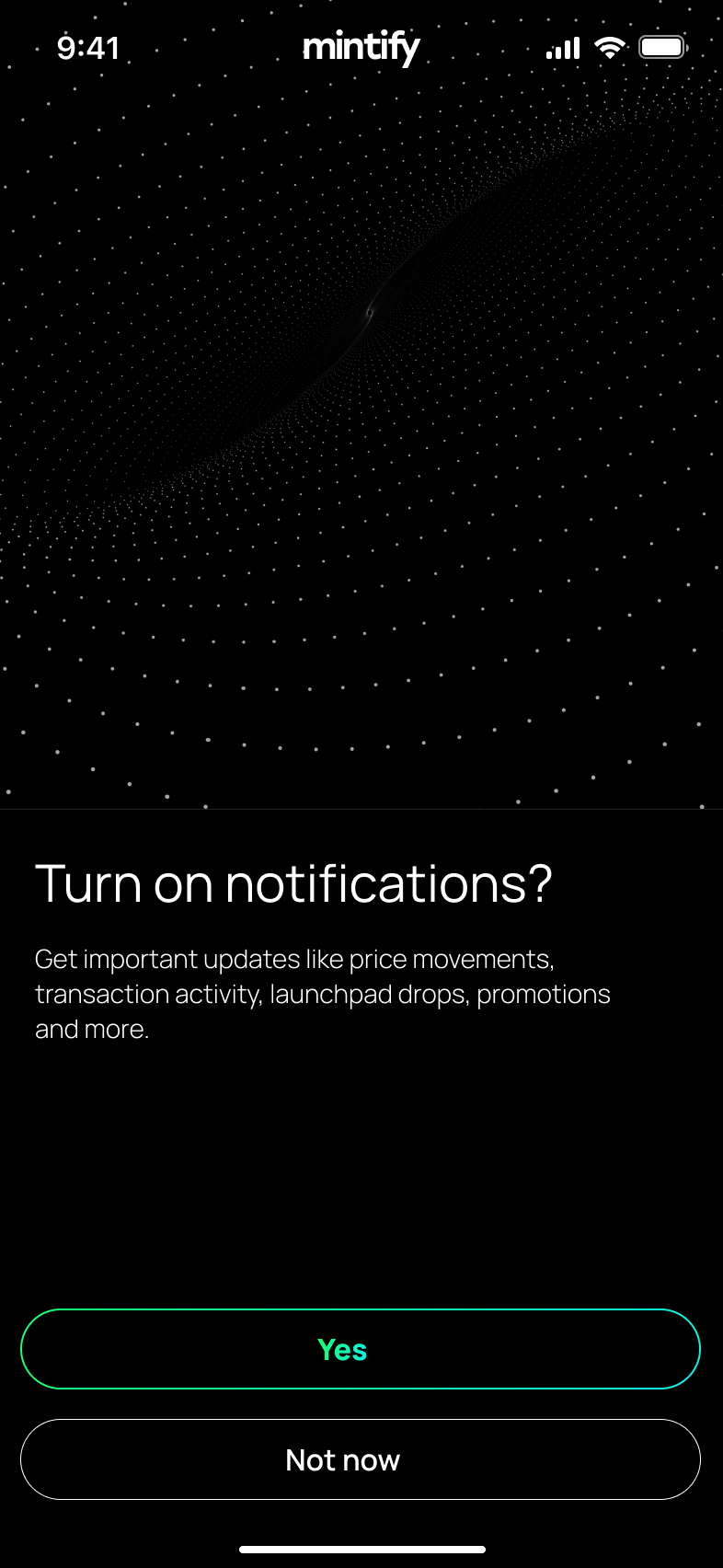
With 400k+ users on the web platform, the onboarding experience needed to work for a diverse audience, from crypto-native power users to people buying their first digital asset. I designed a progressive disclosure system: a four-step welcome carousel establishes value propositions without jargon, then a streamlined email signup captures just enough to get users moving. Friction was deliberately minimized at every step.
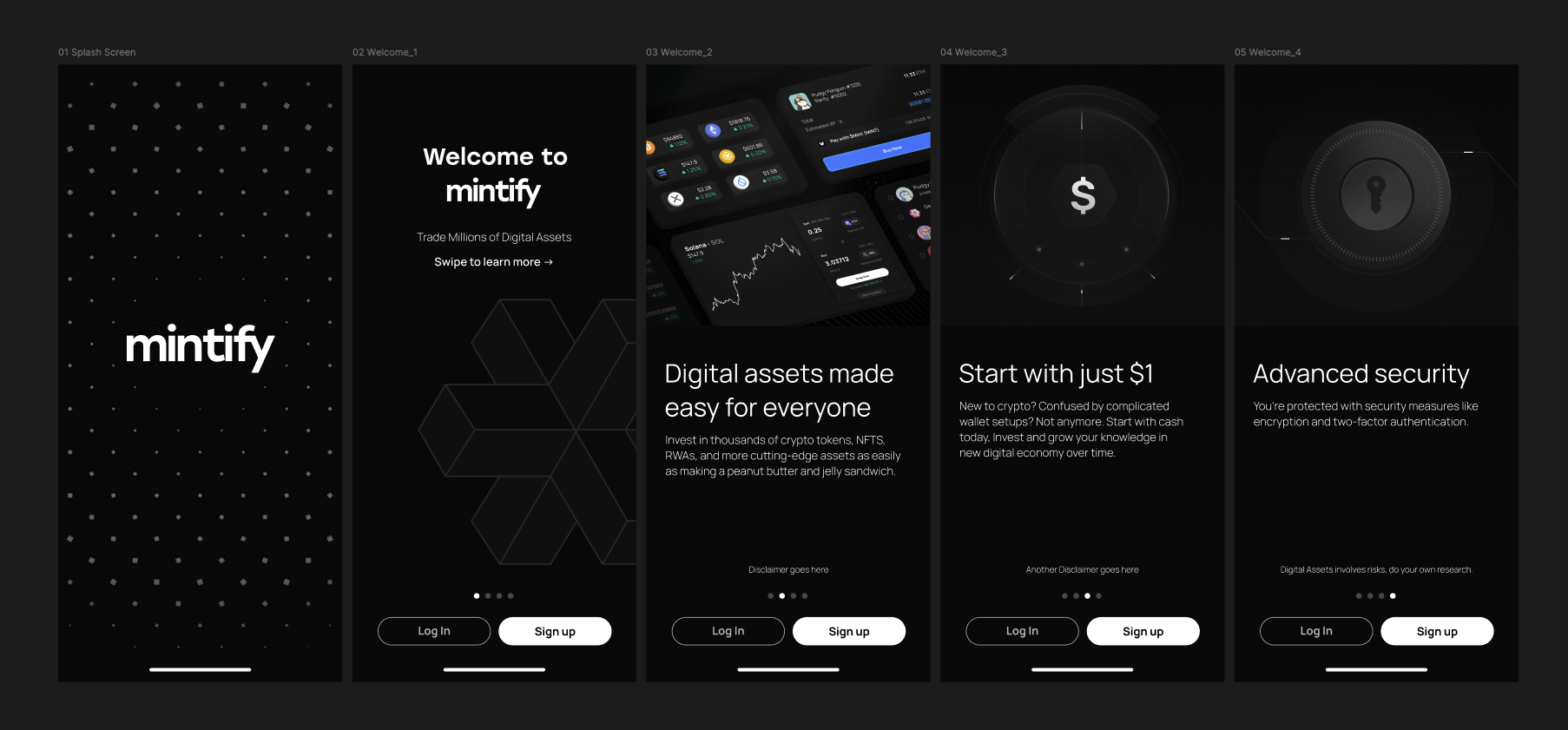
Onboarding Screens
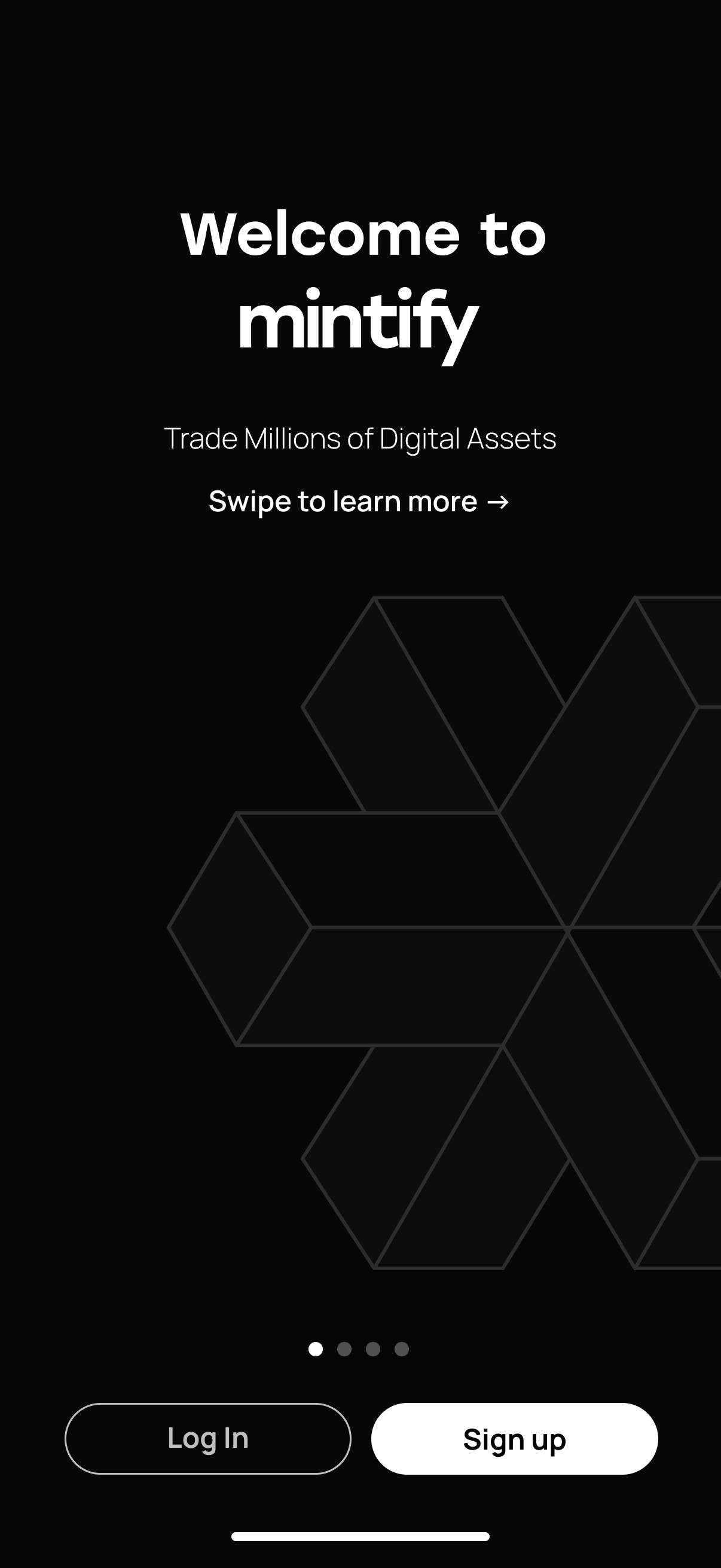
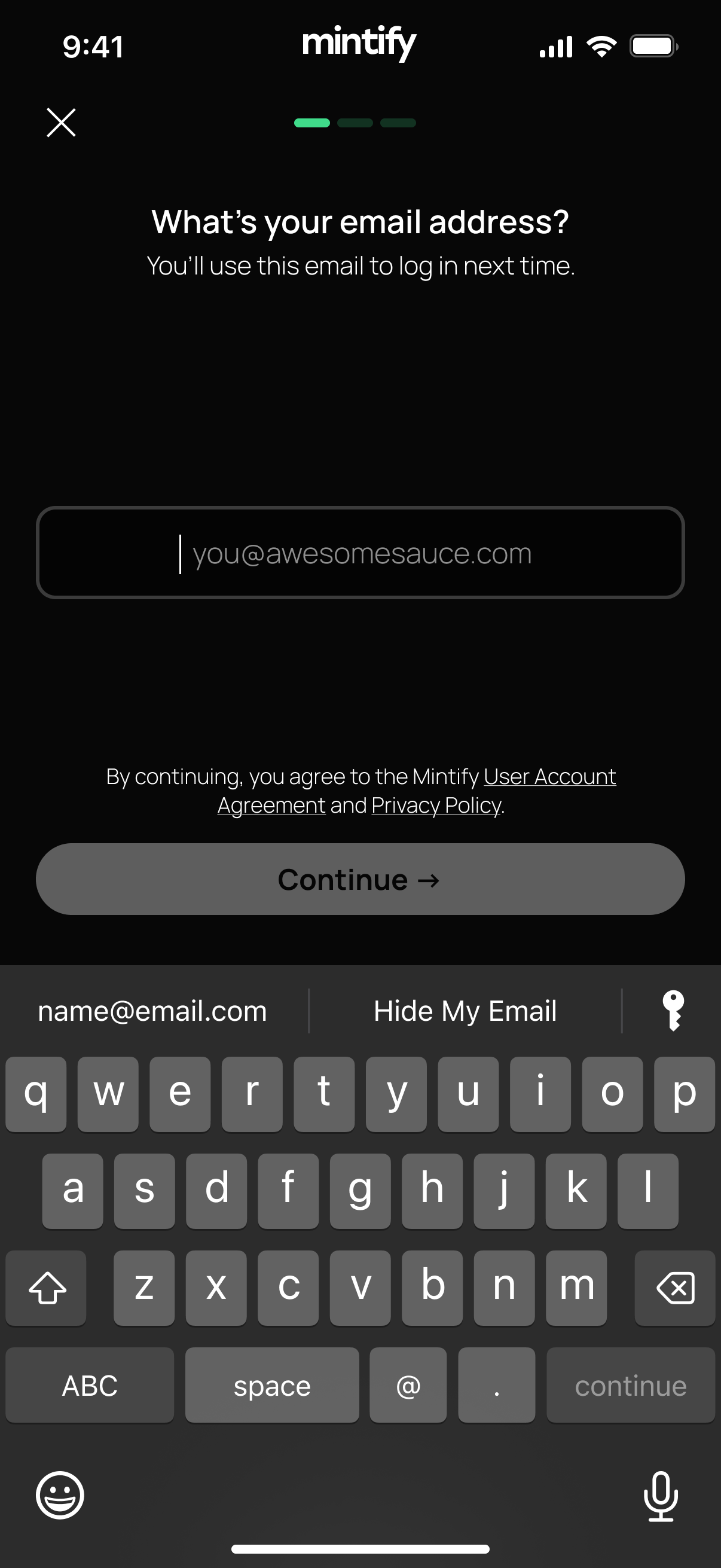
Welcome showing isometric hexagonal background carries the brand's visual language to native
03. Home Feed: The Universal Portfolio View
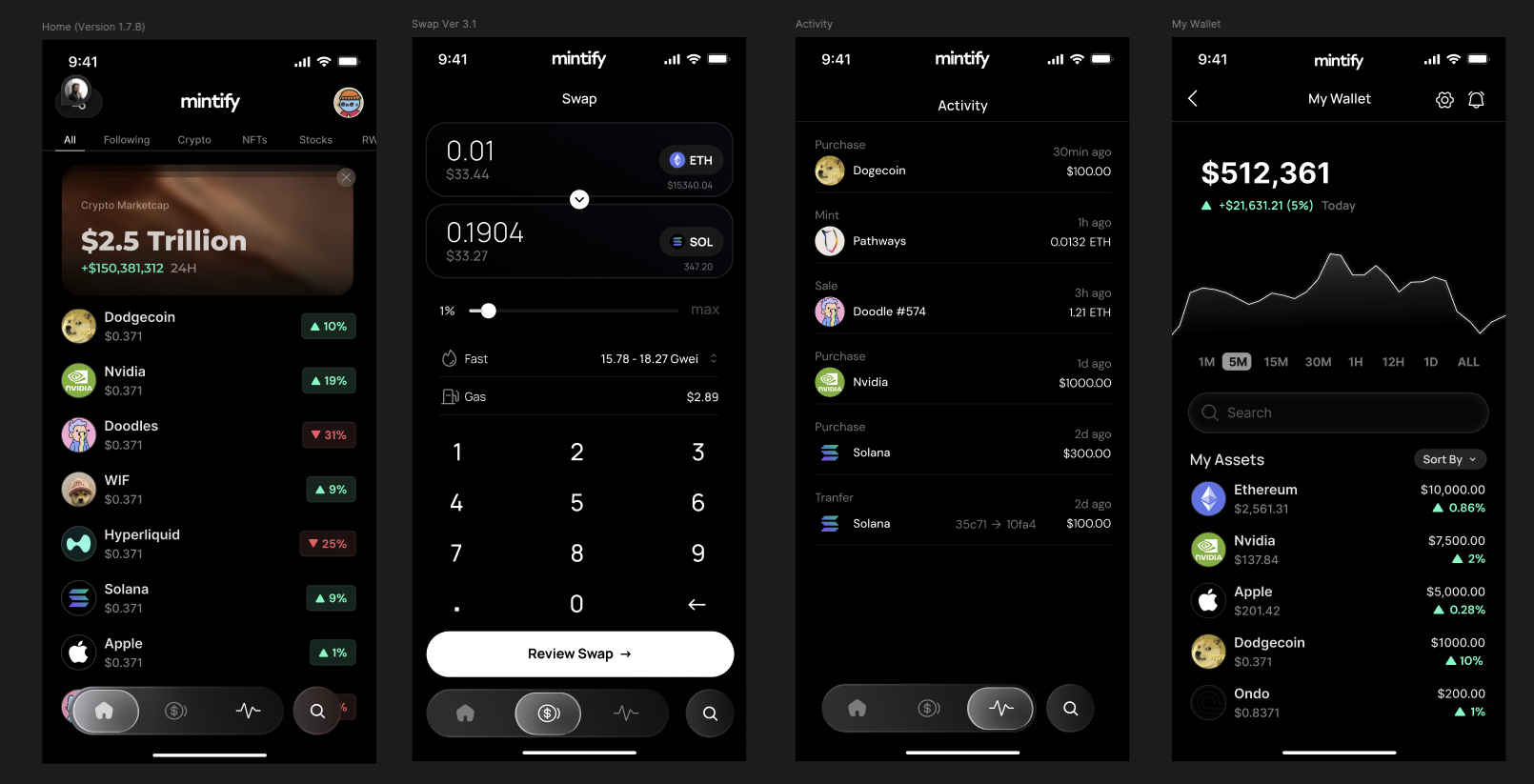
The home screen is the app's heartbeat, it had to surface what matters most without overwhelming. I designed an asset-agnostic feed where crypto, NFTs, and stocks live in the same list, unified by a global portfolio value chart at the top. Tab filters let users narrow to asset class without leaving the context of their full portfolio. The market cap hero card provides macro context at a glance.
Home & Portfolio Screens
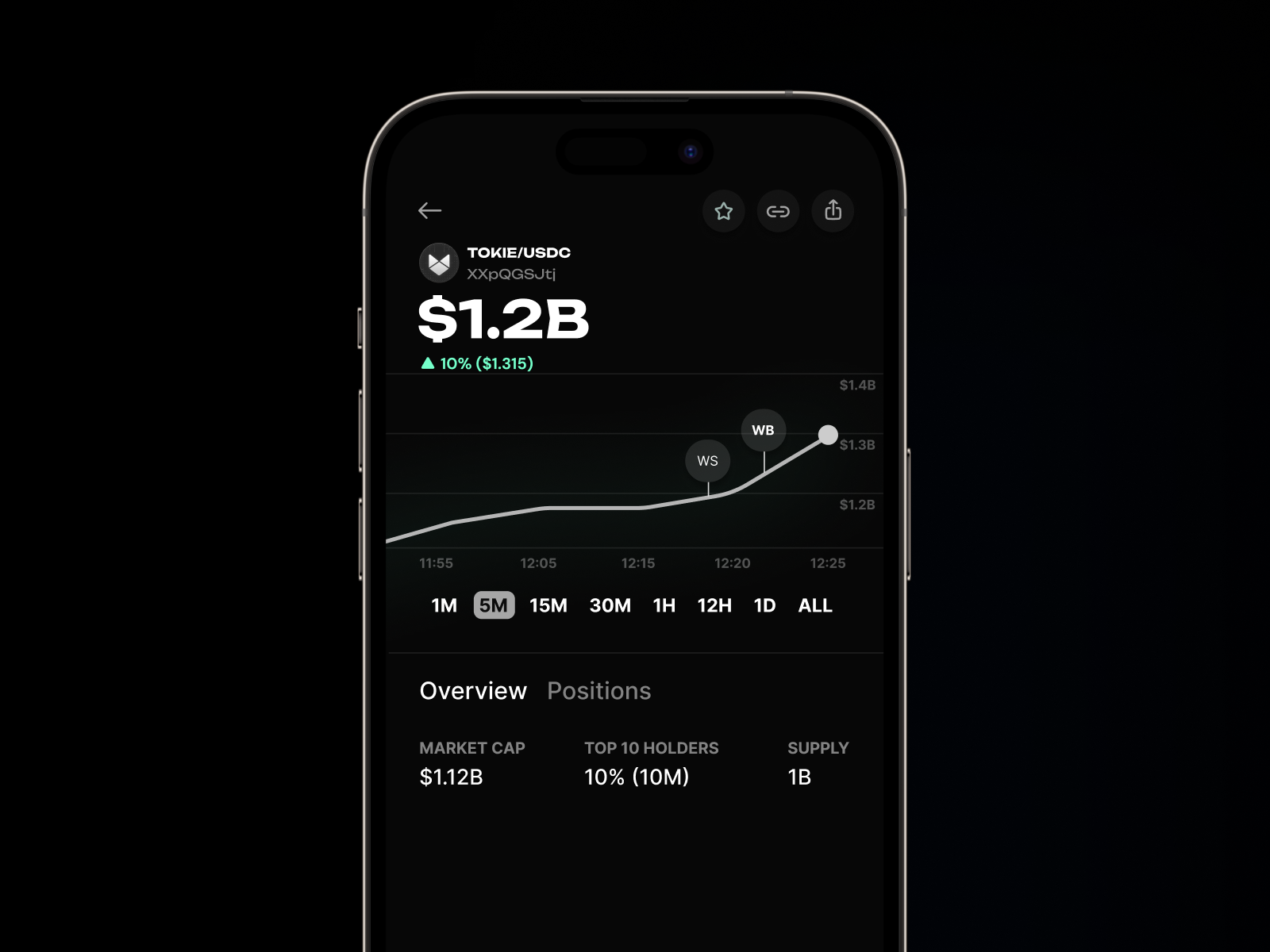
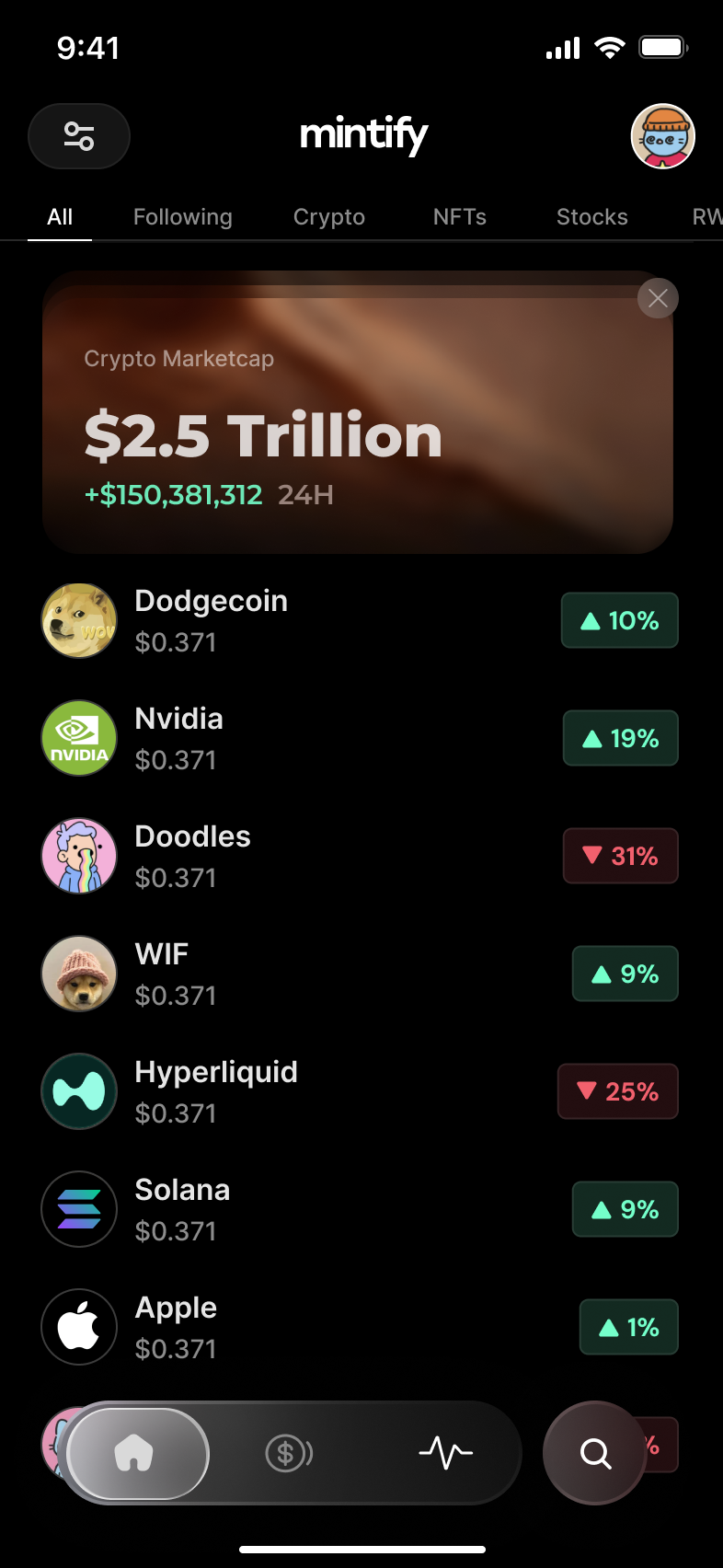
Home feed showing unified asset list with real-time price changes and market cap overview
04. Discovery: Finding What to Trade
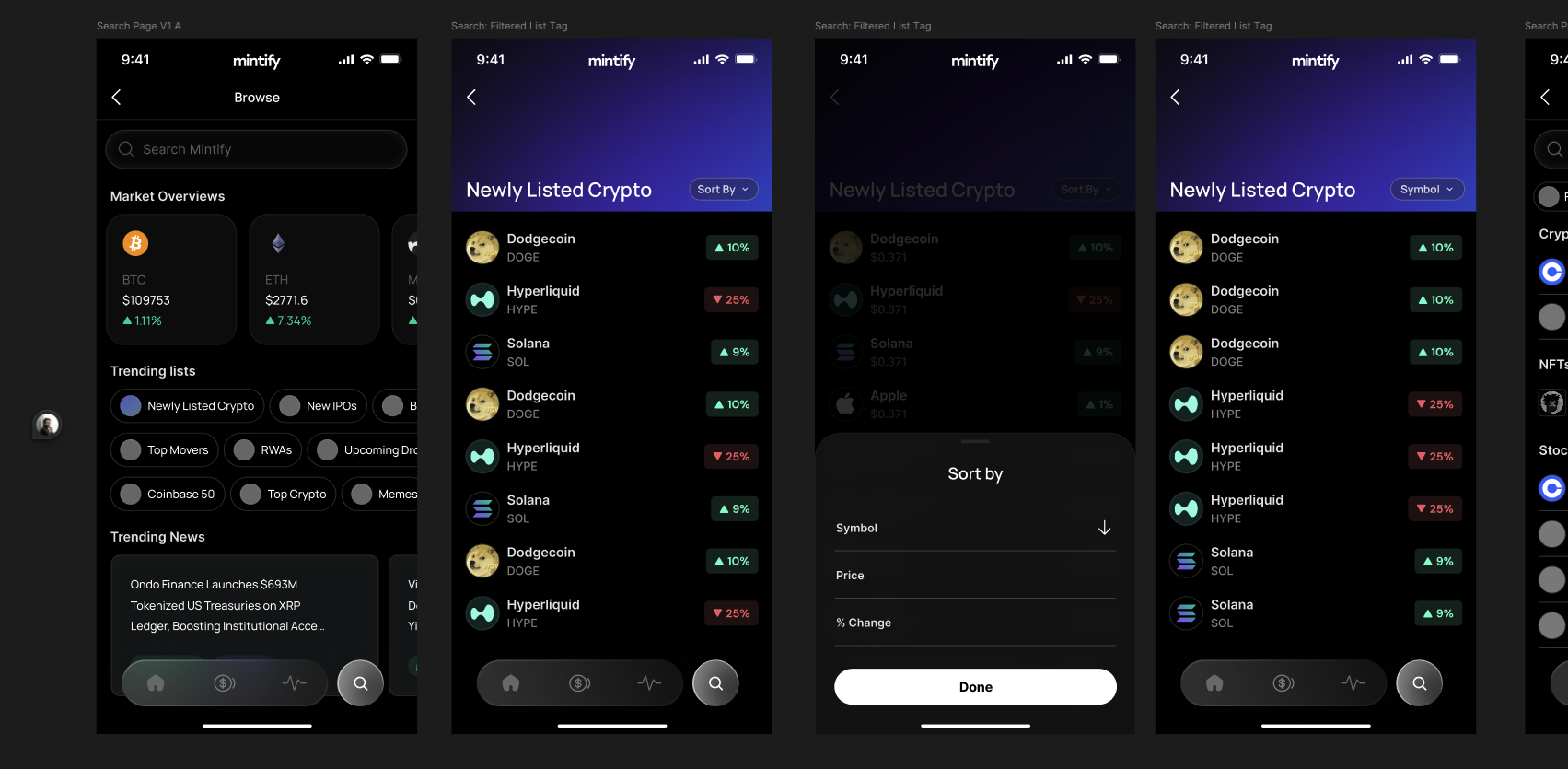
The Browse experience surfaces curated market intelligence, trending lists, new listings, top movers, RWAs, and upcoming drops. All browsable without a search query. I designed the discovery layer as a structured editorial feed rather than a raw data dump, helping users develop market intuition over time. The sort and filter system uses a bottom-sheet pattern that stays out of the way until needed.
05. Trading: Stocks and Cross-Chain Swaps
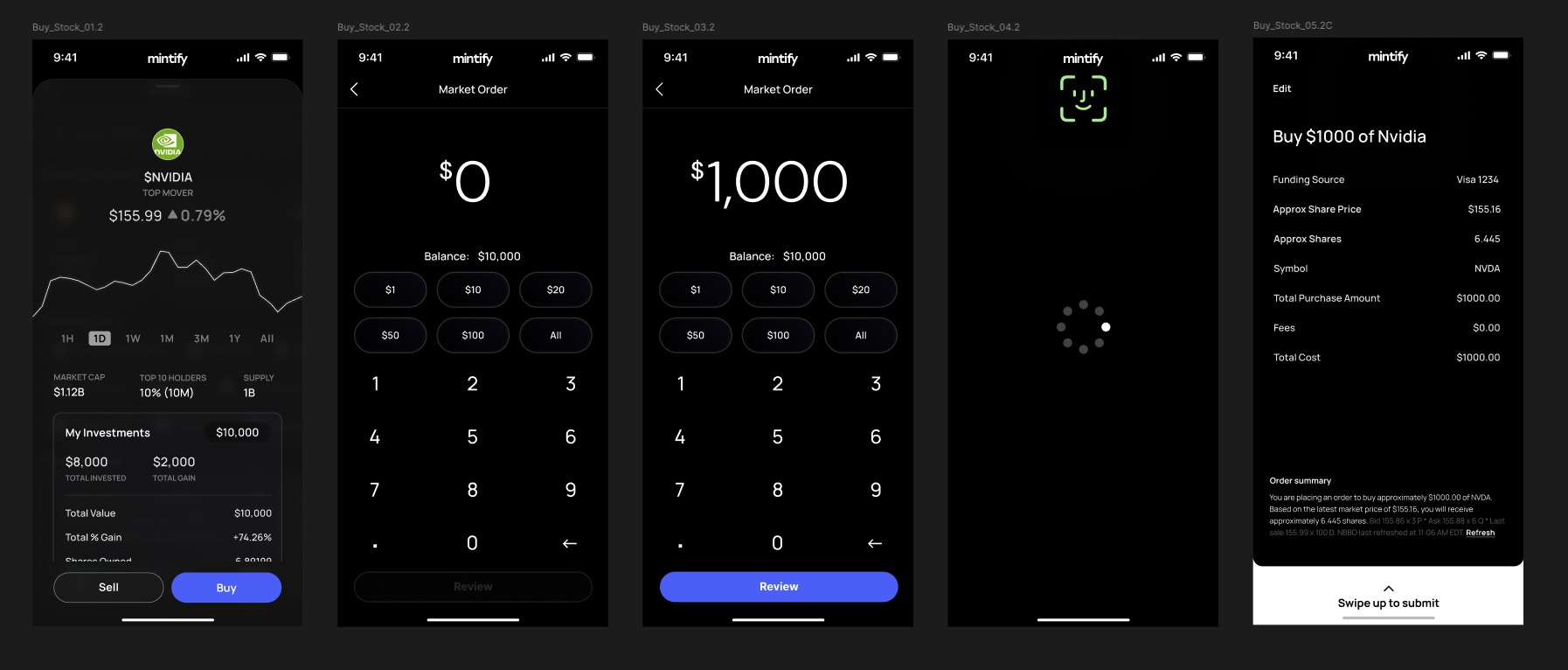
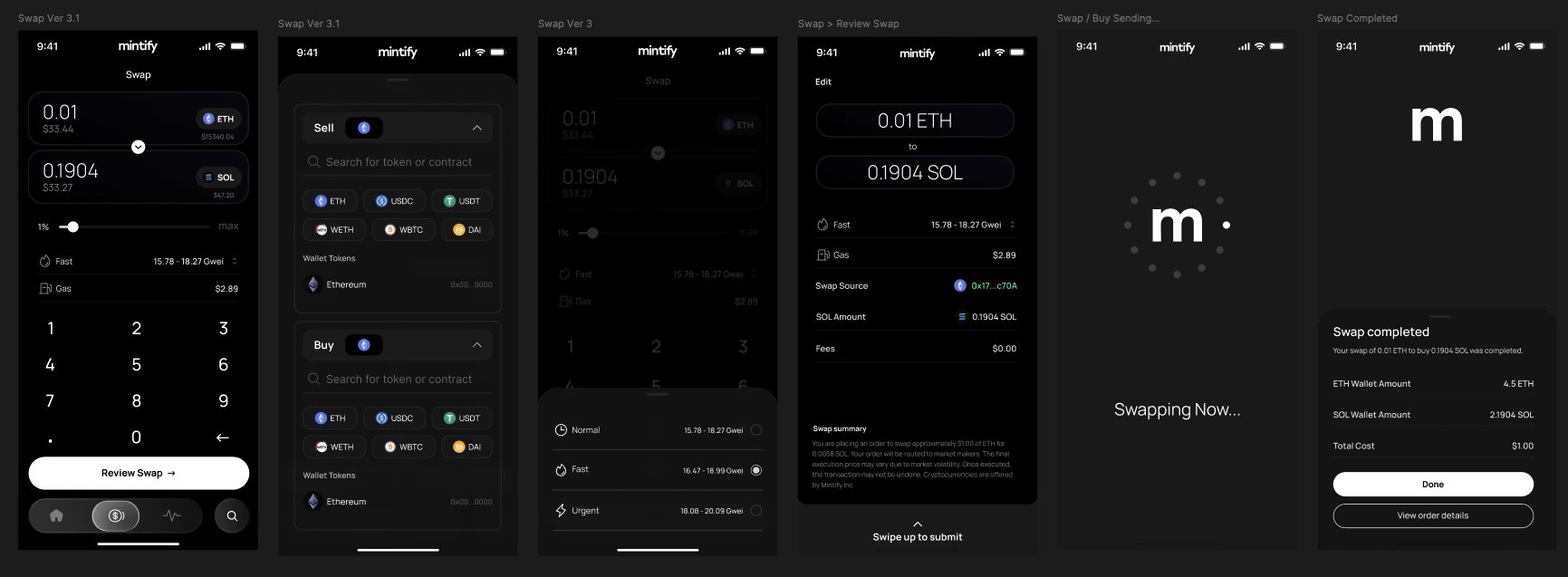
Two distinct but structurally similar trading flows needed to coexist without confusion: traditional stock orders and crypto token swaps. I unified them under a shared interaction model, a large numeric keypad, quick-amount chips, and a review-before-submit pattern. While differentiating the details that matter: gas fees for swaps, funding source for stocks, biometric confirmation for both. The result is a system that feels learnable the first time and fast every time after.
06. Settings & Security
Trust is the foundation of any financial app. The security settings surface, passkey creation, Face ID, device management, and password management, was designed to feel robust without being intimidating. The key-shaped illustration anchors the section visually, reinforcing the concept of control without reading like a compliance checklist.
Settings Screens
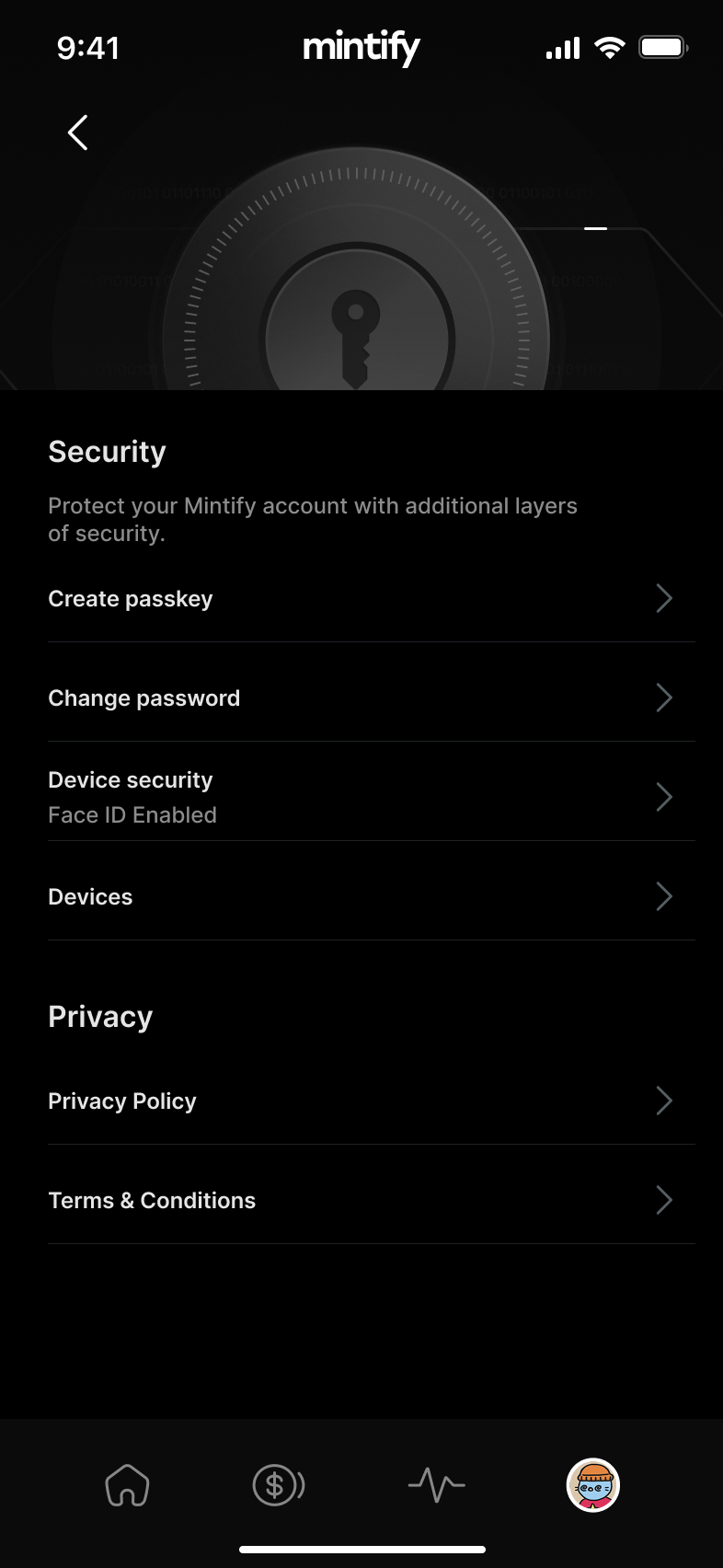
Security showing passkey, Face ID, and device management as empowerment, not obligation
The mobile app extended Mintify's reach to an entirely new audience without alienating the power users who built the platform's reputation.
07. Reflections
Designing a mobile trading app across asset classes, crypto, NFTs, stocks, and RWAs, in four months required ruthless prioritization and a component-first design approach. Every pattern had to earn its place by serving multiple contexts. The result is a unified system that scales: add a new asset class or feature and the design language already knows how to hold it. Mobile-first thinking ultimately fed back into improvements to the web platform.